Software for cell phone repair businesses
Cell Phone Repair Shop Software for Managing Your Repair Business
A cell phone repair store handles fast turnarounds, similar-looking devices and parts that differ by model. When a customer brings in a cracked iPhone or a phone that will not charge, your team needs a clear record of its IMEI, condition, requested work and promised estimate. RepairBiz connects the repair ticket to the technician, parts, customer history and payment so the intake desk and repair bench work from the same information. Track status from received to ready for pickup, and keep the sale with the job rather than in a separate checkout record.
Start your 30-day free trial →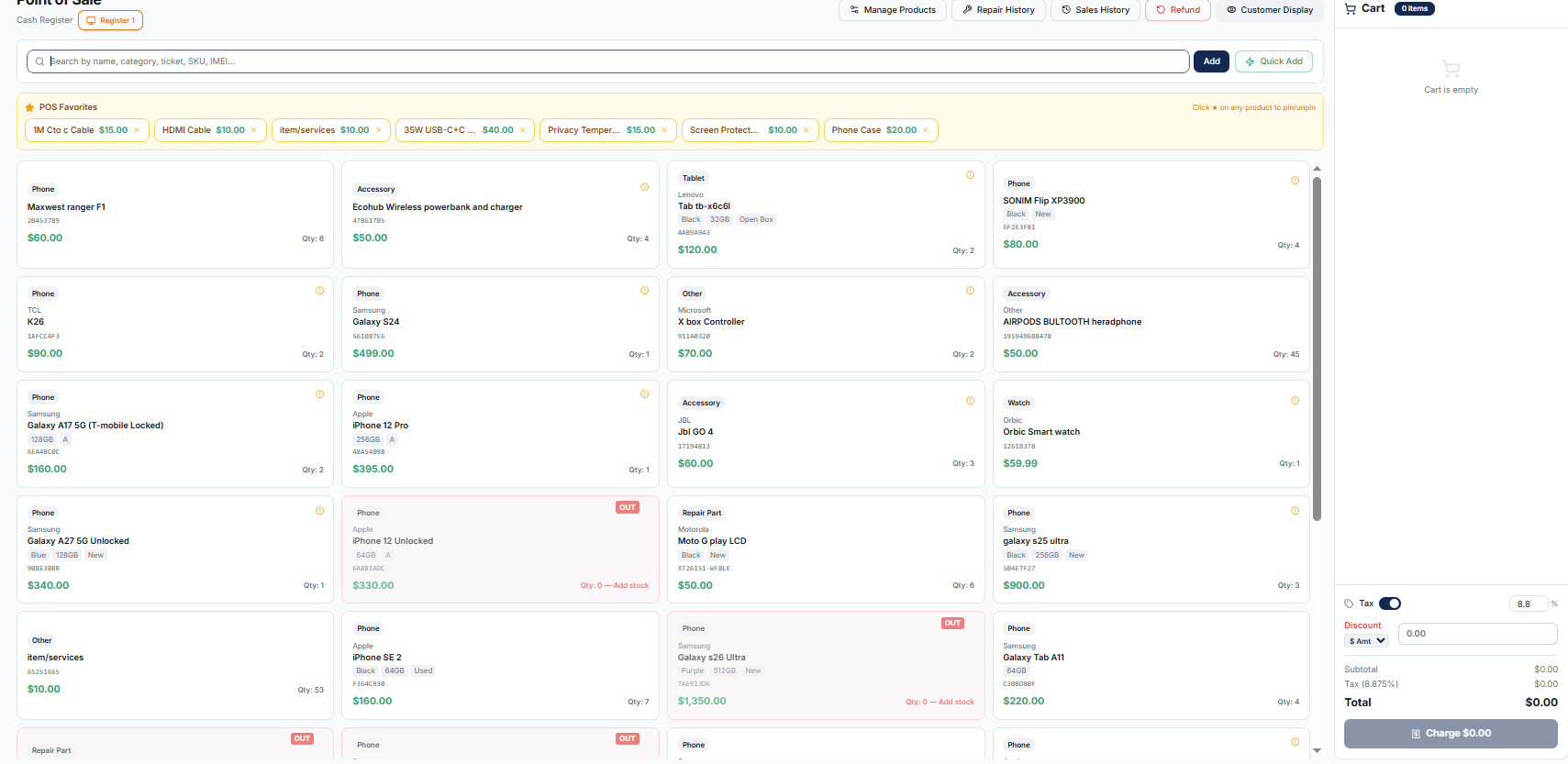
Repair Software Built for Cell Phone Businesses
A phone shop may handle walk-in repairs alongside accessory sales and used devices. Keep the customer, phone model, service and sale connected instead of trying to match a paper tag to a register receipt. A phone can move from intake to bench, waiting for a part, then pickup without losing its record.
- Record phone brand, model, condition and IMEI at intake.
- See the technician and current status on the repair ticket.
- Keep accessories and devices in the same inventory used by the POS.
Manage Cell Phone Repair Tickets
Start with the reported problem and a condition checklist. For a screen replacement, note any cracked back glass or Face ID issue before work begins; add intake photos and a customer signature where required. The technician adds the screen, labor and job notes to the same ticket. Battery and charging-port jobs follow the same record, with their own parts and status.
- Attach before-and-after photos to the device record.
- Assign a technician and move the ticket through waiting on parts, in progress and ready.
- Record estimated price, deposit and remaining balance.
Cell Phone Repair POS and Payments
At pickup, collect the remaining repair balance and any accessory sale without rebuilding the job at checkout. RepairBiz supports cash and card entries, partial payments and split payments; available card processing depends on the payment setup chosen for the store. Keep each sale in the customer record alongside the ticket.
Cell Phone Parts and Inventory Management
Screens for different models may look alike but are not interchangeable. Record the right SKU, cost and quantity for screens, batteries and charging-port parts; use low-stock alerts and purchase orders to plan restocks. When parts on a completed repair are deducted, the stock record reflects the work your technician performed.
IMEI Tracking for Phones You Repair and Sell
Save the IMEI or serial number on a ticket so a returning customer can identify the exact phone, even if they own several of the same model. For serialized inventory, record each unit as it arrives and associate sold units with a transaction. This is particularly useful for used or refurbished phones.
Customer Management and Repair History
When someone comes back with a charging issue after a previous screen job, staff can find the customer and inspect their earlier tickets and purchases. Customer notes, phone numbers and repair history live in the same system. Warranty reworks have dedicated statuses so they are not mistaken for new jobs.
Appointments and Customer Updates
Customers can book service online with their phone model and issue before they visit. Once the repair is in progress, the store can enable status notifications according to the ticket’s contact preferences; customers may also check progress through the branded portal. SMS delivery requires the store to configure its messaging gateway.
Accounting and Business Reports
Phone repair revenue, accessory sales, expenses and parts purchases need to be visible together. RepairBiz brings sales activity into financial views and provides reports for the owner to review income, costs and outstanding balances rather than relying on a separate tally at day’s end.
Why RepairBiz for Your Cell Phone Repair Business?
The workflow stays connected: phone intake → IMEI and condition → technician and parts → status update → payment and pickup. RepairBiz puts those records in one place while leaving you in control of your repair policies, pricing and customer communications.
Frequently asked questions
Keep every phone repair connected from intake to pickup
Try RepairBiz for 30 days with no credit card required. Explore the plans before you sign up.
Start free for 30 daysNo credit card. Full access to every module.