Repair shop inventory software for screens, batteries and parts
A repair shop's inventory is hundreds of near-identical parts across dozens of models. RepairBiz tracks each one by SKU, bin and true landed cost, so you know what you own and what it actually cost you.
- SKU, bin and margin tracking
- Low-stock email alerts
- Purchase orders with landed cost
- Barcode label printing
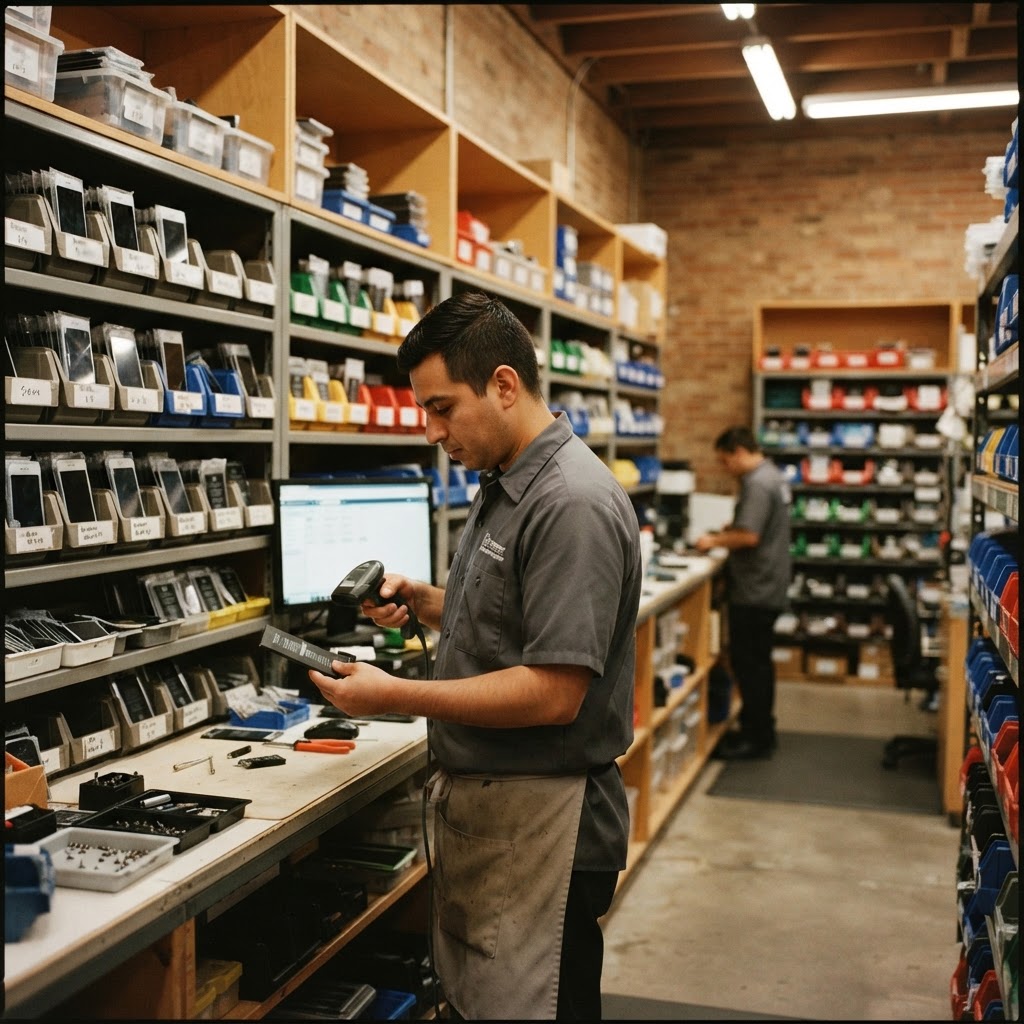
How does repair inventory work?
Create parts and product records with SKU, quantity, purchase cost, price and storage bin. Receive stock through purchase orders, track serial numbers where needed and use low-stock alerts to plan replenishment.
Track individual devices by IMEICataloged the way repair parts are actually organized
Every product carries the attributes that distinguish one screen from another: manufacturer, category and sub-category, model, color, storage size, RAM, condition and battery health for used units. That means an iPhone 13 OLED and an iPhone 13 LCD aren't the same line with a note attached.
Each item stores cost, selling price, minimum price and tax treatment, plus the bin where it physically lives. Minimum price stops a rushed sale from going below your floor, and margin is visible where you set the price rather than calculated later in a spreadsheet.
- Manufacturer, category, sub-category, color, storage, RAM and condition fields
- Battery health on used and refurbished devices
- Cost, price and minimum price with margin visible as you set it
- Bin locations so staff can actually find the part
- Per-item tax rate, fees and taxable flags
- Show-in-POS flag to keep your counter screen uncluttered
Stock levels that maintain themselves
Selling at the POS and closing a repair ticket both draw parts down. You don't run a separate adjustment step, which is the reason most shop spreadsheets are wrong by Friday.
Set a low-stock threshold per item and RepairBiz will email you when it's hit, so you reorder screens before the third customer walks out. Items you don't want to count — labor, diagnostic fees, bill payments — can be flagged as no-inventory, and fast movers can be allowed to oversell so a busy counter is never blocked by a stock number.
- Automatic deduction from POS sales and closed repair tickets
- Per-item low-stock threshold with email alerts
- No-inventory flag for labor, fees and services
- Oversell allowance for items you never want to block a sale
- Bulk product import and bulk delete for cleanup
- Global search across products by name, SKU or model
Purchase orders that produce your real cost
Your cost per screen isn't the invoice line — it's the line plus shipping plus tax spread across the shipment. RepairBiz purchase orders let you enter the supplier invoice number, lot reference, sales tax and shipping, then land those costs across the received items so margin reflects reality.
Receiving a PO increases stock and, for serialized products, records each unit against that PO. Payment terms, partial payments and remaining balance are tracked per PO, and each vendor carries a running balance so you know what you owe before the supplier calls.
- Purchase orders with supplier invoice number and lot reference
- Shipping and sales tax landed into per-unit cost
- Receiving that increases stock and logs serialized units to the PO
- Partial payments, balance due and payment history per PO
- Vendor records with payment terms and running balances
- AI invoice import that builds a PO from a vendor PDF automatically
- Return POs for sending defective stock back to the supplier
Barcodes, labels and serialized units
Print barcode price labels for accessories and shelf stock straight from the product record, then scan them at checkout. Repair tags print for devices on the bench.
For phones, tablets and anything with a serial, turn on serial tracking and RepairBiz keeps each unit as its own record — in stock, sold, returned, defective, lost or stolen, or returned to vendor — with the sale date, customer and originating PO attached. That's how you answer a warranty question about a device you sold nine months ago.
- Barcode price label printing in standard label sizes
- Scan-to-sell at the POS
- Per-unit serial and IMEI records with status history
- Unit statuses including defective, lost or stolen and return-to-vendor
- Sale date, customer and purchase order linked to each unit
Inventory you can price and reorder from with confidence
Counts that stay true
Sales and repairs deduct stock automatically, so the number on screen is the number on the shelf.
Real landed cost
Shipping and tax spread across received units, so your margin isn't optimistic fiction.
Reorder before you're out
Per-item low-stock thresholds email you while there's still time to order.
Findable on the shelf
Bins, SKUs and printed barcode labels cut the time staff spend hunting for a part.
Explore the rest of RepairBiz
Every module below is included in the same subscription — nothing here is a paid add-on.
IMEI Tracking Software
Every serial's full history — purchased, repaired, sold.
Repair Shop POS
Sell parts and labor from the same screen you write tickets on.
Accounting Software
Income, expenses, payables, receivables and P&L built in.
AI Invoice Import
Drop a vendor invoice in — products, costs and quantities appear.
Repair Shop Software
The all-in-one platform: POS, tickets, inventory, books.
Repair Store POS Features
Every repair store feature, from free SMS to payroll, for $240/year.
Explore software for your repair business
Frequently asked questions
Can I import my existing parts list?
Yes. You can bulk import products from a spreadsheet, and the AI invoice import will read a vendor invoice or PDF and create products with their costs and quantities for you.
How do low-stock alerts work?
You set a threshold on any product and enable its email alert. When stock reaches that level RepairBiz emails you, so you can reorder before the part runs out.
Does inventory account for shipping and tax on purchases?
Yes. Purchase orders capture shipping cost and sales tax and land them into the per-unit cost of the items received, so your reported margin reflects true landed cost.
Can I track individual devices by serial number?
Yes. Enable serial tracking on a product and each unit becomes its own record with a status — in stock, sold, returned, defective, lost or stolen, return to vendor — plus its sale date, customer and purchase order.
What about items I don't want to count, like labor?
Mark them as no-inventory. They sell normally at the POS and appear on receipts and reports without ever affecting a stock count.
Know exactly what's on your shelves
Import your parts list, set your low-stock alerts and print your first labels during the free trial.
Start free for 30 daysNo credit card. Full access to every module.