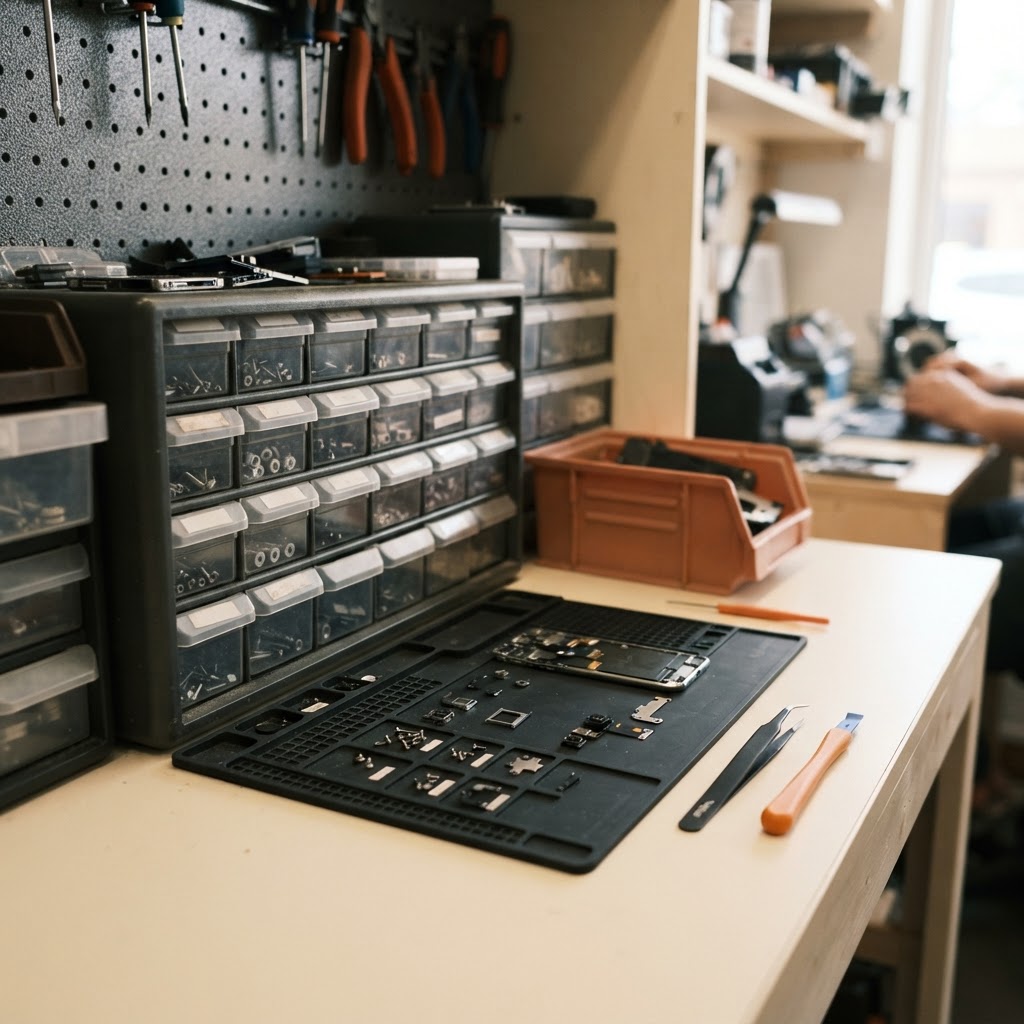
Small parts disappear from repair shop inventory for one simple reason: no single record follows them from the moment they are received to the moment they get soldered, screwed, or snapped into a device. A connector sits loose in a drawer, a tech grabs two screws "just in case," a battery gets swapped out for testing and never logged, and by the end of the month your parts inventory tracking does not match what is actually on the shelf. The fix is not more auditing — it is a tighter process that follows every part through five stages: receiving, reservation on a ticket, deduction at the point of use, periodic cycle counts, and a clean path for defective returns to vendors. Combined with sensible reorder points, this closes most of the small leaks that quietly eat into margin.
By Mohsin Kabir, Founder of RepairBiz.
Where Small Parts Actually Go Missing
Most shrinkage does not happen at the big-ticket end. A replacement screen or a logic board is counted, boxed, and logged because it is expensive enough to notice if it is gone. Screws, flex cables, adhesive strips, charging ports, and small connectors are a different story. They sit loose in parts bins, get shared across multiple open tickets, and rarely get a second look once a repair is marked complete.
The first fix is at receiving. Every shipment should be checked against the purchase order, counted by hand (not assumed from the packing slip), and logged into your parts inventory tracking system before anything goes into a bin. Give each SKU a fixed bin location and label it, even for inexpensive items. If a tech has to guess which drawer holds the iPhone 12 charging port versus the iPhone 13 version, parts get grabbed from the wrong bin, counts drift, and nobody notices until a cycle count turns up a mismatch.
This is also where serialized devices split from bulk parts. A trade-in phone, a refurbished laptop, or any unit with its own serial number or IMEI needs to be tracked as an individual record — one unit, one status, one location. A box of 100 Phillips screws or a sleeve of adhesive strips is tracked by quantity in a bin, not by unit. Mixing the two tracking models in one system, through repair shop inventory software, keeps the receiving step consistent instead of improvised per technician.
Reserve Parts the Moment You Open a Ticket
The second leak happens between diagnosis and repair. A tech opens a ticket, identifies the part needed, and then walks to the bin — but the part has already been pulled for another job, or there is only one left and two techs both think it is theirs. Reserving the part against the ticket the moment it is identified solves this. The quantity is set aside in the system, visible to every tech on the floor, before anyone physically touches the bin.
This matters more for shared or limited stock: a single replacement battery model used across three phone models, a connector that fits several laptop series, or a screen that only has one unit left in the building. Reservations tied to the ticket, managed through repair ticket software, prevent the awkward situation where a customer is told their device is ready and the part turns out to be missing.
Deduct on Use, Not at Month-End
Reserving a part is not the same as deducting it. The part should come off the count the moment it is physically installed, not during a monthly reconciliation that nobody enjoys doing. If deduction waits until the ticket closes and invoices at the point of sale, the gap between "installed" and "recorded" can stretch for days, and in that window the on-hand number is wrong for every other ticket being quoted.
A repair shop POS that deducts stock automatically when the ticket is closed and billed, such as repair shop POS, removes the manual step entirely. The tech marks the repair complete, the invoice generates, and the part count updates in the same motion. For example, if a shop installs 40 charging ports in a week but only deducts them during a Friday afternoon catch-up session, the counts shown to a tech on Tuesday are already off by whatever was used since the last deduction — enough to trigger an unnecessary reorder or, worse, a promised repair that cannot actually be completed that day.
Cycle Counts That Don't Eat Your Afternoon
A full physical inventory once a quarter catches problems too late to matter. By the time a shortage shows up in a quarterly count, the shop may have already turned down jobs or over-ordered stock it did not need. Cycle counts — small, frequent spot checks on a rotating subset of bins — catch drift while it is still a five-minute fix rather than a half-day investigation.
A practical approach is to classify parts by turnover. High-turn items — screws, common connectors, standard batteries — get counted weekly or even daily on a rotating schedule, maybe ten bins a day rather than the whole shop at once. Slower-moving items, like a specialty board for a discontinued model, might only need a count once a month or once a quarter. This ABC-style split keeps cycle counting from becoming a task nobody wants to do, because it never requires shutting down the bench for an afternoon.
Defective Returns and Vendor Credits
Not every part that leaves a bin ends up in a device. Some fail on install, arrive damaged, or get swapped back out during a repair attempt. If a defective part goes back into the same bin as good stock, even briefly, it risks being pulled for the next job and causing a callback. The part needs a separate status and often a separate physical location the moment it is identified as defective.
From there, the return-to-vendor flow should be a distinct step in the system: tag the part as defective, generate an RMA reference tied to the original purchase order, and track the credit or replacement until it actually lands back on the account. For example, a shop that sends back a batch of ten defective screen assemblies needs to know whether the vendor issued a credit, a replacement shipment, or nothing at all — and that status should be visible without digging through email threads weeks later.
Reorder Points: Serialized Devices vs Bulk Parts
Reorder logic is not the same for a box of screws and a trade-in laptop. Bulk parts work well with a simple minimum-and-maximum threshold: for example, reorder a screw pack when the bin drops below 20 units, and bring it back up to 100. These thresholds can sit quietly in the background and trigger a purchase order without anyone checking stock by hand.
Serialized devices do not behave the same way. Each unit is unique — different condition, different cost basis, sometimes a different repair history — so reordering is less about hitting a quantity floor and more about matching expected demand to what is actually on hand. A shop that buys trade-in phones to refurbish and resell needs to track how long each serialized unit has been sitting rather than relying on a fixed reorder number, since the goal is turnover, not restocking a static count.
Getting these two models right inside the same system, rather than tracking bulk parts in a spreadsheet and serialized units separately, is what keeps the whole shop's parts inventory tracking accurate without doubling the workload.
Small parts rarely disappear all at once — they leak a few units at a time through gaps in receiving, reservations, deduction, and returns. Closing each of those gaps individually, rather than hoping a quarterly count catches everything, is what keeps the numbers on the shelf matching the numbers in the system.
Frequently asked questions
What is the difference between tracking serialized devices and bulk parts?
Serialized devices, like trade-in phones or laptops with an IMEI or serial number, need to be tracked as individual units with their own status and history. Bulk parts, like screws, adhesive, or common connectors, are tracked by quantity in a bin and reordered against a minimum-and-maximum threshold rather than tracked unit by unit.
How often should a repair shop run cycle counts?
High-turn items such as screws, connectors, and common batteries benefit from weekly or rotating daily counts on a small subset of bins. Slower-moving or specialty parts can be checked monthly or quarterly. Splitting parts this way avoids shutting down the bench for a full physical count.
Why does reserving parts on a ticket matter if they get deducted later anyway?
Reservation and deduction solve different problems. Reserving a part the moment it is identified on a ticket prevents another technician from pulling the same limited-stock item for a different job. Deduction happens later, when the part is physically installed, and should update the count immediately rather than waiting for a batch process.
What should happen to a part as soon as it is found defective?
It should be tagged as defective and moved out of the general bin immediately, so it cannot be mistaken for good stock on the next job. From there, it should be linked to an RMA reference tied to the original purchase order so the vendor credit or replacement can be tracked until it actually posts to the account.
Ready to grow your repair shop?
Manage repairs, POS, inventory and invoicing in one place. Free to try — no credit card required.
Start Your Free Trial