Repair shop inventory management means controlling every part and device from the moment it arrives until it is installed, sold, or returned. Done well, it answers three questions instantly: what do we have, what is already committed to a job, and when do we need to reorder. Done poorly, it causes duplicate orders, missing serial numbers, and technicians waiting on parts that are listed as in stock but are actually sitting on someone else's bench.
The core habits that keep repair inventory accurate are consistent receiving, reserving parts against a specific ticket before they leave the shelf, deducting stock at the moment of use rather than at end of day, running frequent partial counts instead of one annual count, and tracking defective returns separately from sellable stock. Serialized devices — phones, tablets, laptops under repair — need individual IMEI or serial tracking; bulk parts like screws or adhesive do not. The rest of this guide walks through each step with practical detail.
Receiving Parts Correctly From the Start
Inventory accuracy starts at the receiving dock, not at the cash register. If a part is logged incorrectly on arrival, every report built on that data will be wrong until someone notices the discrepancy, usually during a stockout.
A workable receiving routine:
- Match the delivery against the purchase order before anything goes on a shelf — check model, variant, and quantity, not just the total line count.
- Inspect each item for shipping damage. If something looks wrong, set it aside in a quarantine area instead of mixing it with sellable stock.
- Assign a bin location and record it in your system immediately. A part that is physically present but not logged in the right location will likely be re-ordered by a technician who assumes it is out of stock.
- For vendor invoices, AI invoice import can speed up data entry by extracting line items from a supplier bill, but it still needs a human to confirm quantities and pricing before the resulting stock counts are trusted.
Receiving discipline matters more for small, easily lost items — screws, flex cables, small connectors — than for large parts that are hard to misplace.
Serialized Devices vs. Generic Parts: Why the Distinction Matters
Not every item in a repair shop should be tracked the same way.
Serialized items — a customer's phone, a replacement logic board, a laptop taken in for repair — need a unique identifier such as an IMEI or serial number logged at intake. This lets you trace a specific unit's repair history, confirm which device a warranty claim applies to, and show which unit a customer dropped off if a dispute comes up later. IMEI tracking tied to the repair ticket keeps this identifier attached to the job from intake through pickup.
Generic parts — batteries, charging ports, screen protectors, screws — are tracked by SKU and quantity, not by individual serial number. Counting every screw individually would waste time without adding useful information.
The practical dividing line is simple: if the item's history matters for warranty, resale value, or a customer dispute, serialize it. If only the quantity on hand matters, track it as bulk stock.
Reserving Parts for a Repair Ticket
Inventory drift often starts when a technician pulls a part off the shelf before the job is confirmed. The part is physically gone, but the system still shows it as available, so someone else sells it or orders a replacement that was not actually needed.
The fix is to reserve parts against the ticket as soon as a repair is approved, inside your repair ticket software, rather than waiting until the job is finished. A reservation marks the part as committed without removing it from the physical shelf count yet — it tells everyone else in the shop that the unit is already spoken for.
If a diagnosis changes mid-repair — for example, a technician discovers the issue was a loose connector rather than the screen originally ordered — the reserved part should be released back to available stock immediately, not left sitting as a phantom commitment that blocks future orders.
Inventory Deductions at the Point of Sale
Reservation and deduction are two different events. Reservation happens when a part is committed to a job; deduction happens when the part actually leaves inventory for good, typically at checkout.
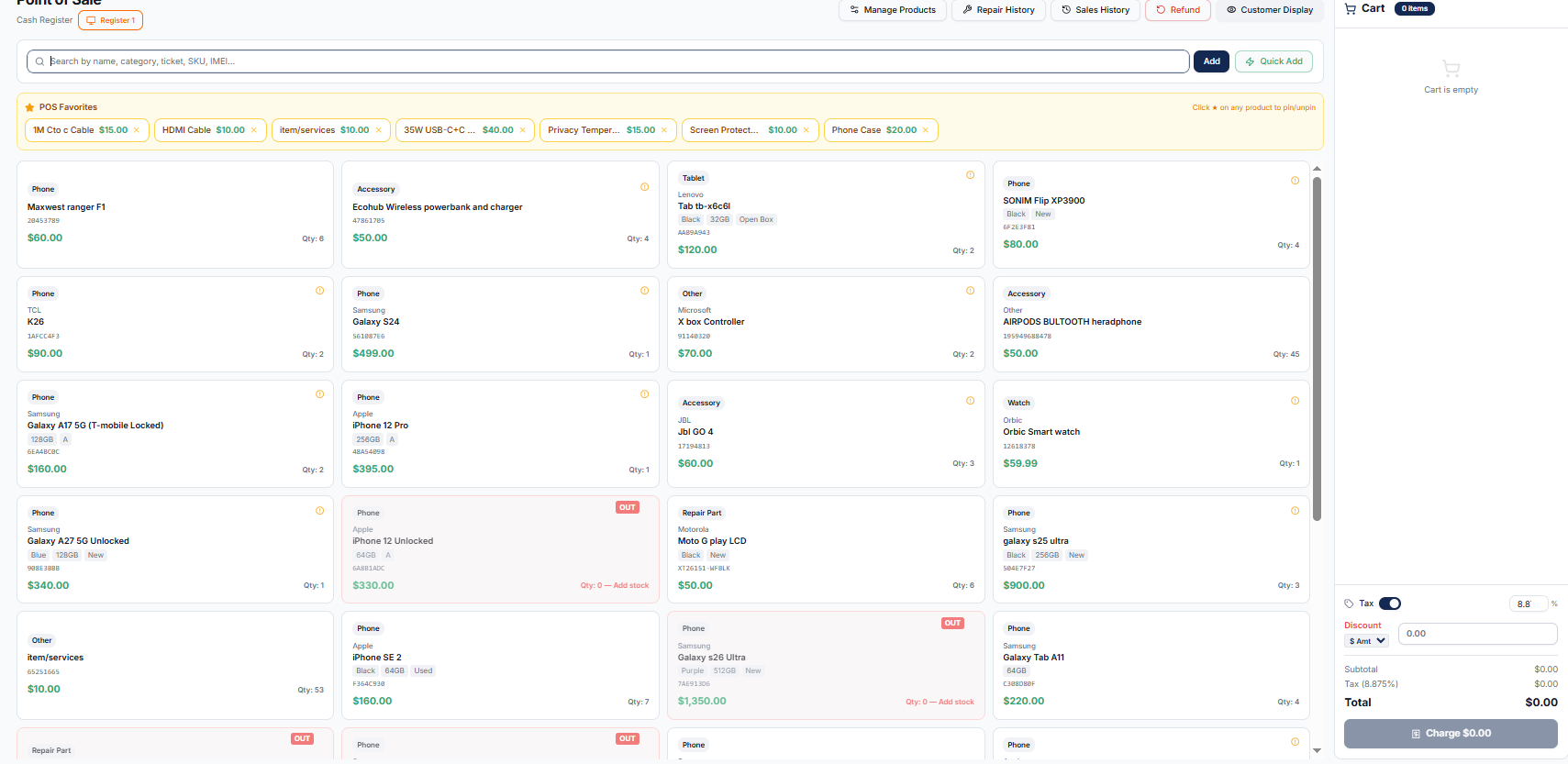
When a technician completes the repair and the ticket moves to checkout in your repair shop POS, the part should be deducted from stock at that point, not estimated later from memory. This keeps on-hand counts synchronized with what customers actually paid for and what technicians actually installed.
Partial payments add a small wrinkle: if a customer pays a deposit before the part is installed, the part may already be reserved, but the deduction should still wait until it is physically used, not when the deposit is collected.
Setting Reorder Points With Real Numbers
Reordering by instinct leads to either emergency shipping costs or shelves full of parts nobody needs this month. A simple reorder point formula is: (average weekly usage × supplier lead time in weeks) + safety stock.
As a hypothetical example: suppose a shop installs four replacement screens per week for a common phone model, and the supplier takes one week to deliver. The reorder point would be at least five units — four to cover expected demand during the lead time, plus one unit of safety stock for an unexpected rush. When stock drops to five, it is time to reorder, not when it hits zero.
High-velocity parts, such as common screens, batteries, and charging ports, deserve this kind of calculated reorder point. Low-velocity or model-specific parts may be better ordered only after a matching repair is booked, to avoid tying up cash in stock that might not move for months.
Cycle Counts That Fit a Busy Shop
A single annual inventory count is not frequent enough for a shop where stock moves daily. By the time a full count happens, months of small discrepancies have piled up, and it becomes hard to tell which error happened when.
Cycle counting breaks the workload into manageable, rotating chunks:
- Fast-moving parts, such as screens, batteries, and common charging ports: count weekly.
- Occasional movers, such as model-specific boards and less common cables: count monthly.
- Slow or rarely used parts: count quarterly.
This spreads the counting work across the week instead of shutting the shop down for a full count, and it catches a missing part or a data entry mistake while it is still a small, explainable discrepancy rather than a mystery six months later.
Handling Defective Parts and Vendor Returns
A defective part that stays mixed in with sellable stock is a liability. If a technician accidentally pulls it for another repair, the shop now has a second failed installation, a second round of technician time, and a customer waiting longer for the same fix.
Set up a clearly labeled defective or RMA holding area, separate from the regular shelves. Log the part, the reason it failed, the date, and the status of the vendor claim.
Parts in the RMA area should not count toward available stock totals, even temporarily, since that inflates the numbers your reorder decisions are based on. When a vendor credit or replacement finally arrives, the defective unit can be removed from the holding log entirely rather than left as an open item nobody checks again.
Dead Stock: When to Cut Losses
Not every reorder decision is about buying more; sometimes it is about stopping. If a part has not moved in roughly 180 days, it is tying up shelf space and cash that could go toward parts that actually sell.
A quarterly dead-stock review should answer three questions for each slow-moving item: can it be returned to the vendor, should it be discounted and cleared out, or is it better to simply write it off and free the space. Letting dead stock sit untouched because it might get used eventually is itself a decision with a cost.
None of these habits require elaborate software, but a connected repair shop inventory system that ties receiving, reservations, deductions, and counts to the same ticket record removes a lot of the manual reconciliation that causes drift in the first place.
Frequently asked questions
How is reserving a part different from deducting it from inventory?
Reserving a part marks it as committed to a specific repair ticket as soon as the job is approved, without changing the physical shelf count. Deduction happens later, usually at checkout, when the part is actually installed or sold and removed from inventory for good.
Do I need to track every small part by serial number?
No. Serial or IMEI tracking is for high-value or customer-owned items where history and warranty traceability matter, such as logic boards or the devices themselves. Bulk items like screws, adhesive, or screen protectors only need quantity tracking by SKU.
How often should a repair shop count inventory?
Rather than one annual count, most shops do better with rotating cycle counts: weekly for fast-moving parts, monthly for occasional movers, and quarterly for slow or rarely used stock. This catches discrepancies while they are still small.
What should happen to a defective part before a vendor credit is issued?
It should be moved out of sellable stock into a separate, clearly labeled holding area and logged with the failure reason and claim status, so it cannot be accidentally pulled for another repair while the return is pending.
Ready to grow your repair shop?
Manage repairs, POS, inventory and invoicing in one place. Free to try — no credit card required.
Start Your Free Trial