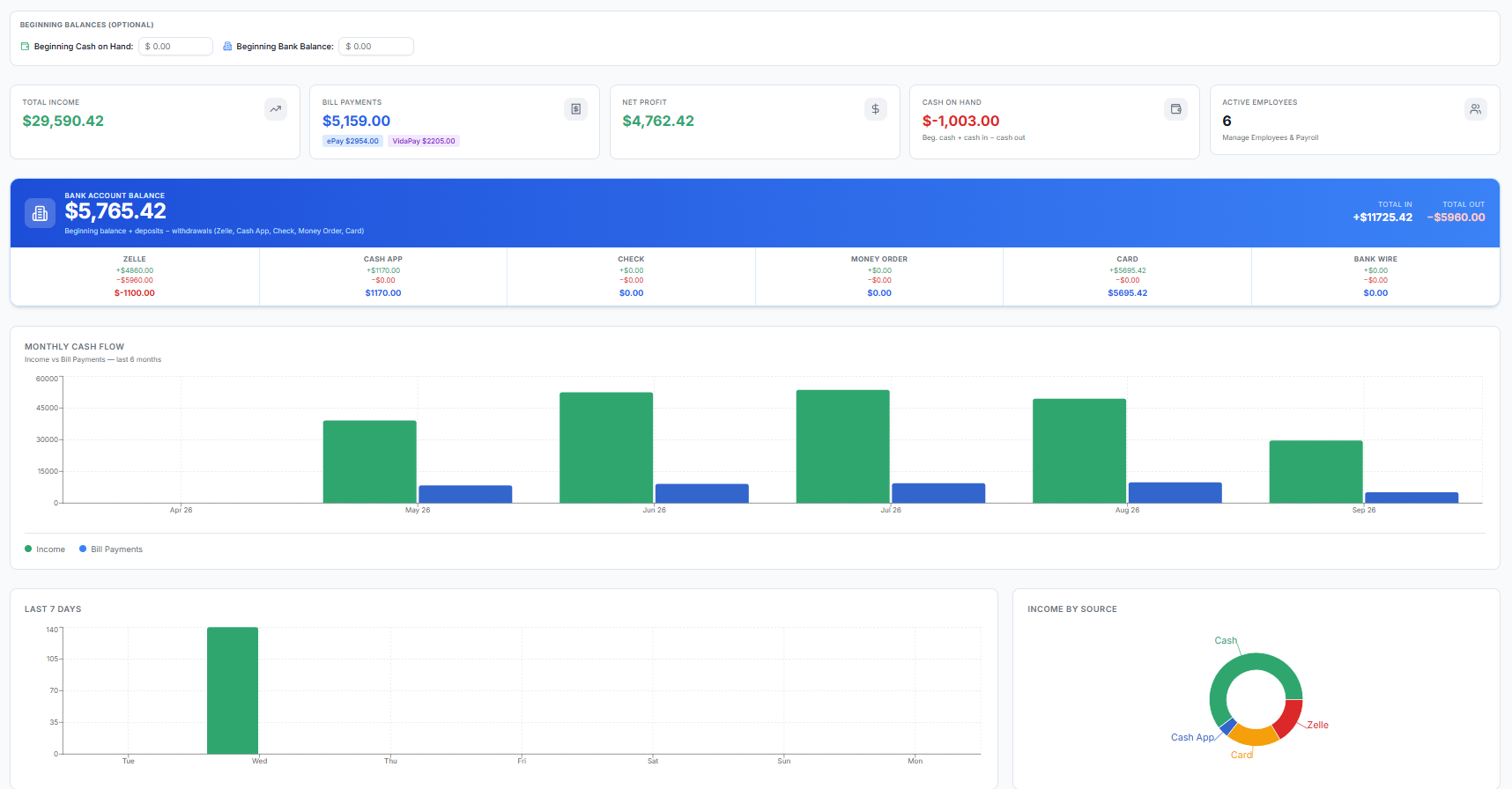
Repair shop accounting is not primarily about satisfying a tax preparer once a year. It is the ongoing discipline of knowing whether each repair ticket, each technician, and each parts order is actually making money. Most shop owners already track total sales and total expenses, but that level of detail hides the real story. A slow month could be caused by a parts pricing problem, a labor productivity problem, or rising overhead — and you cannot tell which one without separating your numbers.
The short answer: track revenue and cost of goods sold (COGS) separately for parts and labor, monitor overhead as a percentage of revenue, calculate gross and net margins monthly, and watch cash flow independently from profit. Each of these numbers answers a different operational question, and together they tell you where to adjust pricing, staffing, or inventory before a small problem becomes a cash crisis.
Why Revenue and COGS Need to Be Split by Labor and Parts
If your profit and loss statement shows one combined "Service Revenue" line, you are flying blind. Labor and parts carry different margins, different risks, and different seasonal patterns. Blending them into a single number means a drop in profit could be hiding either a parts markup issue or a labor efficiency issue, and you will not know which one to fix.
A practical chart of accounts for a repair business should separate at least these categories:
- Labor revenue — all billed labor at your posted rate, excluding parts markup.
- Parts revenue — the amount customers pay for parts and components.
- Technician labor cost — wages, payroll taxes, and benefits tied directly to repair work.
- Parts cost (COGS) — the landed cost of parts, including freight, duties, and core charges.
Once these are separated, you can calculate a gross margin for labor and a gross margin for parts independently. As a hypothetical example: suppose a shop bills $4,000 in labor in a month at a technician payroll cost of $1,800, giving a labor gross margin of 55%. In the same month, it sells $6,000 in parts with a landed cost of $3,200, for a parts gross margin of about 47%. Neither number alone tells the full story, but together they show where margin pressure is coming from if monthly profit starts slipping.
The Core Metrics Worth Tracking Every Month
Beyond the top-line revenue and COGS split, five metrics give an accurate operational picture of a repair business.
Revenue by category. Track labor, parts, and any accessory or trade-in revenue as separate lines, not blended totals. This makes it possible to see which service lines are growing and which are flat.
Cost of goods sold. COGS should include only costs that scale directly with each repair — parts, freight, and the direct wages of technicians performing the work. It should not include rent, software subscriptions, or marketing, which belong in overhead.
Labor cost and effective labor rate. Effective labor rate (ELR) is total labor revenue divided by total billed labor hours. It is almost always lower than your posted door rate once warranty work, discounts, and unbilled diagnostic time are factored in. A falling ELR often points to too much unpaid diagnostic time or comeback repairs eating into technician hours.
Overhead as a percentage of revenue. Rent, utilities, insurance, software, and marketing do not change with repair volume in the short term, so tracking them as a fixed dollar amount hides whether they are becoming a larger or smaller burden as revenue changes. Expressing overhead as a percentage of monthly revenue makes it easier to see if fixed costs are outpacing growth.
Gross margin and net profit margin. Gross margin is (revenue − COGS) ÷ revenue. Net profit margin subtracts overhead as well. Tracking both separately shows whether a profit decline is a cost-of-sale problem or an overhead problem — two very different fixes.
Cash flow. Profitability and cash flow are not the same thing, and the gap between them is where many profitable shops run into trouble.
Cash Flow Is a Separate Problem From Profit
A repair shop can show a profit on its income statement while still struggling to pay vendors on time. This typically happens when accounts receivable from fleet, insurance, or wholesale clients grows faster than cash collections, or when parts are paid for weeks before the related repair invoice is settled.
To manage this gap, review an accounts receivable aging report and an accounts payable aging report on a regular cadence — weekly is reasonable for a single-location shop, more frequently for multi-location operations with higher parts volume. Watch for:
- Invoices to commercial or warranty clients that are more than 30 days outstanding.
- Vendor terms that require payment before the related parts have been used on a billed repair.
- Seasonal spikes in parts purchasing that are not matched by an equivalent spike in collected revenue.
None of this requires complex forecasting software. It requires consistently pulling the same two reports and acting on what they show, rather than relying on the bank balance alone as a signal of financial health.
Connecting Accounting to the Repair Workflow
Accounting accuracy depends on how consistently the operational workflow feeds financial data. A ticket created in repair ticket software should capture the device, the parts used, and the technician assigned, because each of those details eventually becomes a line in COGS or labor cost.
When a technician pulls a part for a job, that part should be deducted from stock through repair shop inventory software at the same moment it is used, not reconciled later from memory. This keeps COGS matched to the correct revenue period instead of showing up as a surprise adjustment weeks later during a stock count.
Vendor bills are another common source of distortion. Manually re-typing invoices invites errors in freight charges, core credits, and quantities. Reviewing vendor bills through AI invoice import with human oversight can reduce the chance that a freight charge or core charge gets buried in a generic "miscellaneous expense" category instead of flowing into parts COGS where it belongs.
At checkout, payments recorded through a repair shop POS should map directly to labor and parts revenue categories rather than a single combined sale total, so the separation built earlier in the ticket is not lost at the register.
Warranty Work and Trade-Ins Deserve Their Own Tracking
Two categories are easy to misclassify: warranty repairs and trade-in devices.
Warranty labor and parts should still be recorded at their normal cost, with revenue recorded at zero or at a reduced warranty rate, so the shop can see exactly how much margin warranty work is consuming each month. If warranty repairs are not tracked separately, they get blended into the general labor margin and make technician productivity look worse than it actually is for paid work.
Trade-in devices should be recorded at the value credited to the customer, then tracked as inventory until resold or used for parts. Treating a trade-in credit as a simple discount, rather than as inventory with its own cost basis, understates both revenue and COGS and makes margin calculations inaccurate.
Building a Monthly Review Habit
Most of the value in repair shop accounting comes not from the chart of accounts itself, but from reviewing the same numbers on a consistent schedule. A practical monthly routine includes:
- Compare labor and parts gross margin against the prior month and against your own historical average.
- Check effective labor rate against your posted door rate to see how much is being lost to discounts and unbilled time.
- Review overhead as a percentage of revenue to catch creeping fixed costs early.
- Pull accounts receivable and accounts payable aging reports to confirm cash flow is tracking with profit.
For shops still managing this across spreadsheets and a separate point-of-sale system, consolidating these numbers in dedicated repair shop accounting software removes a step of manual reconciliation, though it does not replace the discipline of reviewing the numbers regularly. Start a free RepairBiz trial to see how ticket, inventory, and payment data can feed a single financial view instead of three disconnected ones.
Frequently asked questions
Why should labor and parts be tracked separately in repair shop accounting?
Labor and parts have different margins and cost structures. Blending them into one revenue line hides whether a profit decline comes from rising parts costs, poor technician productivity, or pricing issues, making it harder to decide what to fix first.
What is the difference between gross margin and net profit margin?
Gross margin is revenue minus the direct costs of a repair, meaning parts and technician labor. Net profit margin subtracts overhead as well, such as rent, utilities, marketing, and software. A shop can have healthy gross margin but weak net margin if overhead has grown too large.
How do I calculate effective labor rate?
Divide total labor revenue by total billed labor hours for the period. This is usually lower than your posted door rate because it accounts for discounts, warranty work, and diagnostic time that was never billed.
Should warranty repairs be included in regular labor margin calculations?
Warranty repairs should be tracked separately from paid labor. Recording the normal cost but reduced or zero revenue for warranty work lets you see exactly how much margin it consumes without distorting the margin on paid repairs.
Is it possible to be profitable but still run out of cash?
Yes. This commonly happens when receivables from commercial or warranty clients build up, or when parts are paid for well before the related repair is invoiced and collected. Reviewing accounts receivable and payable aging reports regularly helps catch this gap early.
Ready to grow your repair shop?
Manage repairs, POS, inventory and invoicing in one place. Free to try — no credit card required.
Start Your Free Trial