Repair store inventory is the system you use to track every screen, battery, charging port, and small component from the moment it arrives on your shelf to the moment a technician installs it on a customer's device. Getting this right means a technician can find the correct part in seconds, your stock counts match what is physically on the shelf, and you know before you run out rather than after. Getting it wrong means delayed repairs, parts you forgot to bill, and dead stock tying up cash. The practical pieces are physical organization, a consistent SKU naming system, barcode scanning at the point of use, defined reorder thresholds, and a direct link between parts used and the repair ticket they belong to.
Organizing Parts: Categories, Bins, and SKU Structure
Before any software decision, your physical shelving has to make sense to whoever is standing in front of it under time pressure. A workable layout groups parts by device category first (phone, tablet, laptop, console), then manufacturer, then model, then part type. Label each bin with text large enough to read from two feet away, not just a code only you understand.
Once the shelf is organized, translate that same logic into a SKU (Stock Keeping Unit) for each part. A SKU is a short alphanumeric code that uniquely identifies one item, distinct from a generic description like "screen." A usable structure might look like:
- APP-IP13-SCR-BLK (Apple, iPhone 13, screen, black)
- SAM-A54-BAT (Samsung Galaxy A54, battery)
- DEL-L5520-KEY (Dell Latitude 5520, keyboard)
The exact format matters less than consistency. If every technician and every purchase order uses the same pattern, a search for "IP13" pulls every related part instantly. This is the foundation that repair shop inventory software sits on top of; without consistent SKUs, even good software returns messy results.
Barcode Scanning and Serialized Parts
Manual entry is where most inventory errors start. A technician typing a part number from memory, at the end of a long shift, will eventually type the wrong one or skip the step entirely. Barcode scanning removes that guesswork by turning part identification into a single scan instead of a typed description.
A practical setup: when a shipment arrives, each item gets a barcode label (either from the manufacturer or printed in-house) tied to its SKU. When a technician opens a repair ticket and pulls a part for the job, they scan it rather than selecting it from a dropdown or writing it on a paper ticket. That single scan can reduce the on-hand count, attach the part's cost to that specific ticket, and record which device received it.
For mainboards, logic boards, or other high-value serialized components, pairing barcode scanning with IMEI tracking software adds a second layer of record-keeping. If a part later fails and a customer returns under warranty, you have a specific record of which serialized unit went into which device, rather than a guess based on memory.
Setting Stock Levels, Low-Stock Alerts, and Reorder Workflows
The common failure pattern in repair shop inventory is swinging between two extremes: shelves full of parts nobody uses, and empty bins for the parts customers ask for every week. Both waste money, just in different ways. Dead stock ties up cash you could spend elsewhere; stockouts turn a same-day repair into a three-day wait and a frustrated customer.
The fix is a defined minimum stock level (reorder point) for each part that matters to your repair volume. As a hypothetical example only: if a shop replaces roughly five iPhone 12 batteries per week and the supplier takes three days to deliver a reorder, setting the minimum stock level at eight to ten units gives enough buffer to cover a normal week plus a short delay, without carrying a month's worth of batteries on the shelf.
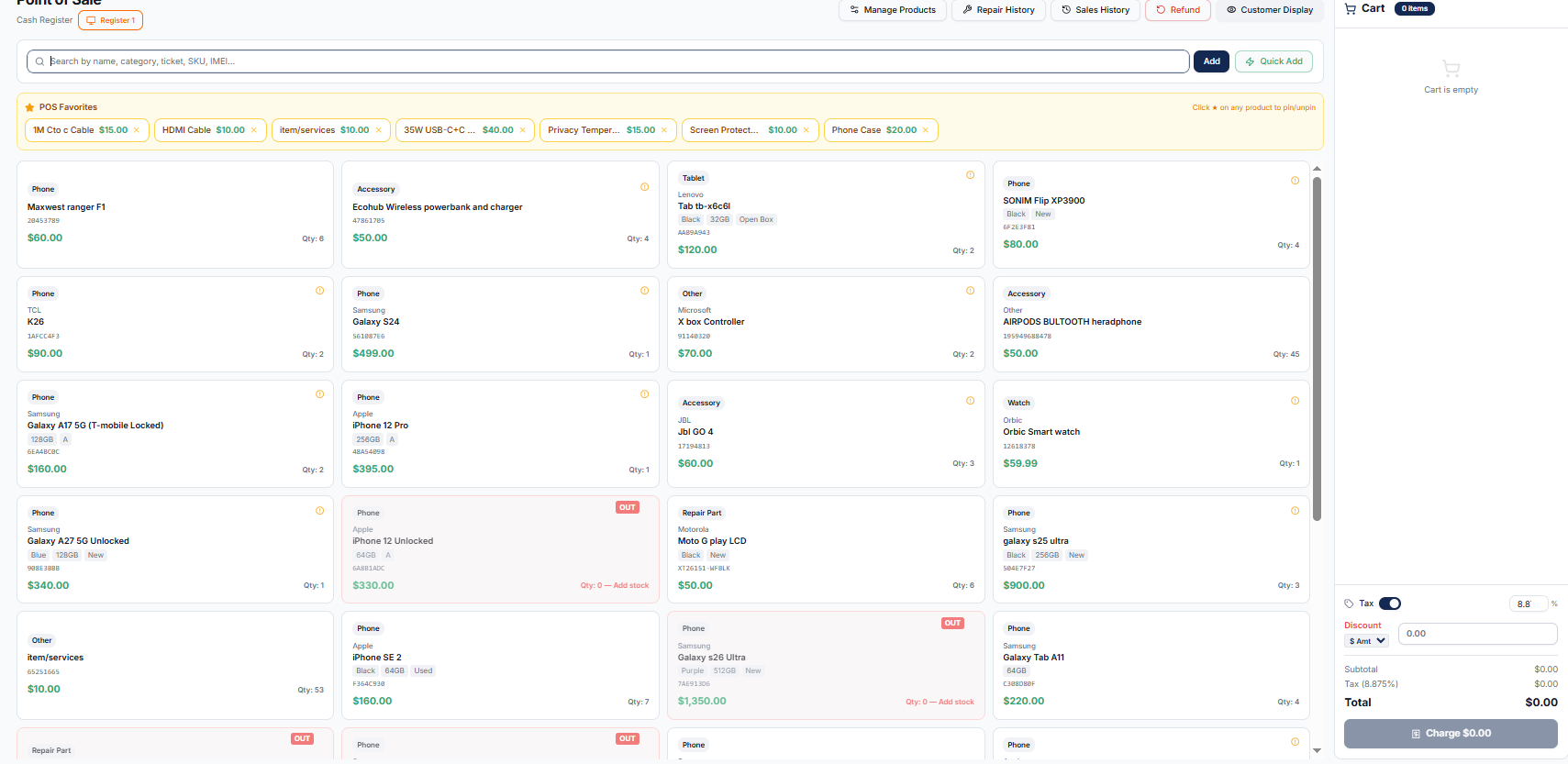
When stock drops to that threshold, a low-stock alert should prompt a reorder before the shelf actually empties, not after a technician discovers it mid-repair. This is the kind of check that a repair shop POS system ties into at checkout and ticket creation, since every sale or part usage is the trigger that can move a count toward its threshold.
Reorder points are not one-time settings. Review them periodically against actual usage. A part that sold well six months ago (an older iPhone model, for example) may now move slowly as newer devices take over your ticket volume, and the reorder point should drop with it.
Connecting Inventory to Repair Tickets and Accounting
Inventory control works best when it is not a separate task performed after the fact, but a byproduct of the repair workflow itself. Consider this hypothetical sequence, illustrative only:
- A customer brings in a phone with a cracked screen. At intake, the technician records device condition, IMEI, and the requested repair, then assigns the ticket.
- When the ticket moves to "in progress," the technician reserves the screen SKU needed for the job. That part is now marked unavailable to other technicians, which prevents two people from accidentally claiming the same unit.
- Once the repair is finished and the part is physically installed, the reservation becomes a consumption: the part count drops by one, and its cost attaches to that ticket.
- At checkout, the ticket total (labor plus the part's price) is collected through the POS, and the transaction, including the part cost, flows into your repair shop accounting software as part of your financial overview.
This chain means cost of goods for that repair is recorded as a direct result of doing the job, not something a bookkeeper has to reconstruct weeks later from a stack of paper tickets. It also means if the part turns out to be defective, there is a clear record of which ticket, which technician, and which part number to reference for a return to your supplier.
Trade-offs and What Not to Over-Track
None of this is free. Barcode labeling, SKU setup, and reorder-point maintenance take staff time, especially in the first few months of adoption. A shop moving from paper tickets and memory-based stock counts to a SKU and scanning system should expect a learning curve, not an instant fix.
There is also a reasonable limit to how granular tracking should get. Screws, small adhesive strips, and similar consumables are rarely worth tracking at the individual-unit level; the labor cost of scanning each one outweighs the value of knowing exactly how many you have left. Most shops track these as bulk stock, estimate usage per repair, and reconcile occasionally rather than scanning every screw in and out.
What should not be skipped is tracking for anything that meaningfully affects your margin: screens, batteries, charging ports, back glass, logic boards, and other components that make up most of your parts cost. If those are not tracked accurately, your repair pricing and profitability figures are built on guesses rather than records.
Regular cycle counts help catch drift between digital records and physical shelves before it becomes a large discrepancy. Rather than closing the shop for a full inventory day, count one category or shelf section each week on a rotating schedule. This keeps the workload manageable while still catching errors early.
Frequently asked questions
What is a SKU in a repair shop, and do I need one for every part?
A SKU is a unique code that identifies a specific part, such as a model and color combination. You do not need one for every tiny item like screws, but any part that significantly affects repair cost, such as screens, batteries, and boards, should have its own SKU so it can be tracked accurately.
How do I decide where to set a low-stock alert threshold?
Base it on how often you use the part and how long your supplier takes to deliver a reorder. A part used frequently with a slow supplier needs a higher threshold than a slow-moving part with a fast supplier. Review these thresholds periodically since usage patterns change as device models shift.
Do small parts like screws and adhesive strips need barcode tracking?
Generally no. Most shops track these as bulk stock and estimate usage rather than scanning each one, since the time cost of individual tracking outweighs the benefit for low-value consumables.
How often should a repair shop do a physical inventory count?
A rolling cycle count, where one category or shelf section is checked each week, is usually more practical than a single full shop count. It catches discrepancies early without requiring the shop to close for a full inventory day.
What happens if a part turns out to be defective after it was already installed?
If the part was linked to the repair ticket when it was used, you have a record of exactly which part, serial number if applicable, and ticket it was tied to. That record is what you need to process a return or warranty claim with your supplier.
Ready to grow your repair shop?
Manage repairs, POS, inventory and invoicing in one place. Free to try — no credit card required.
Start Your Free Trial